First, you need to head over to "Storefront > Image Manager" and then upload your images here.
Once uploaded click on "View Full Size"
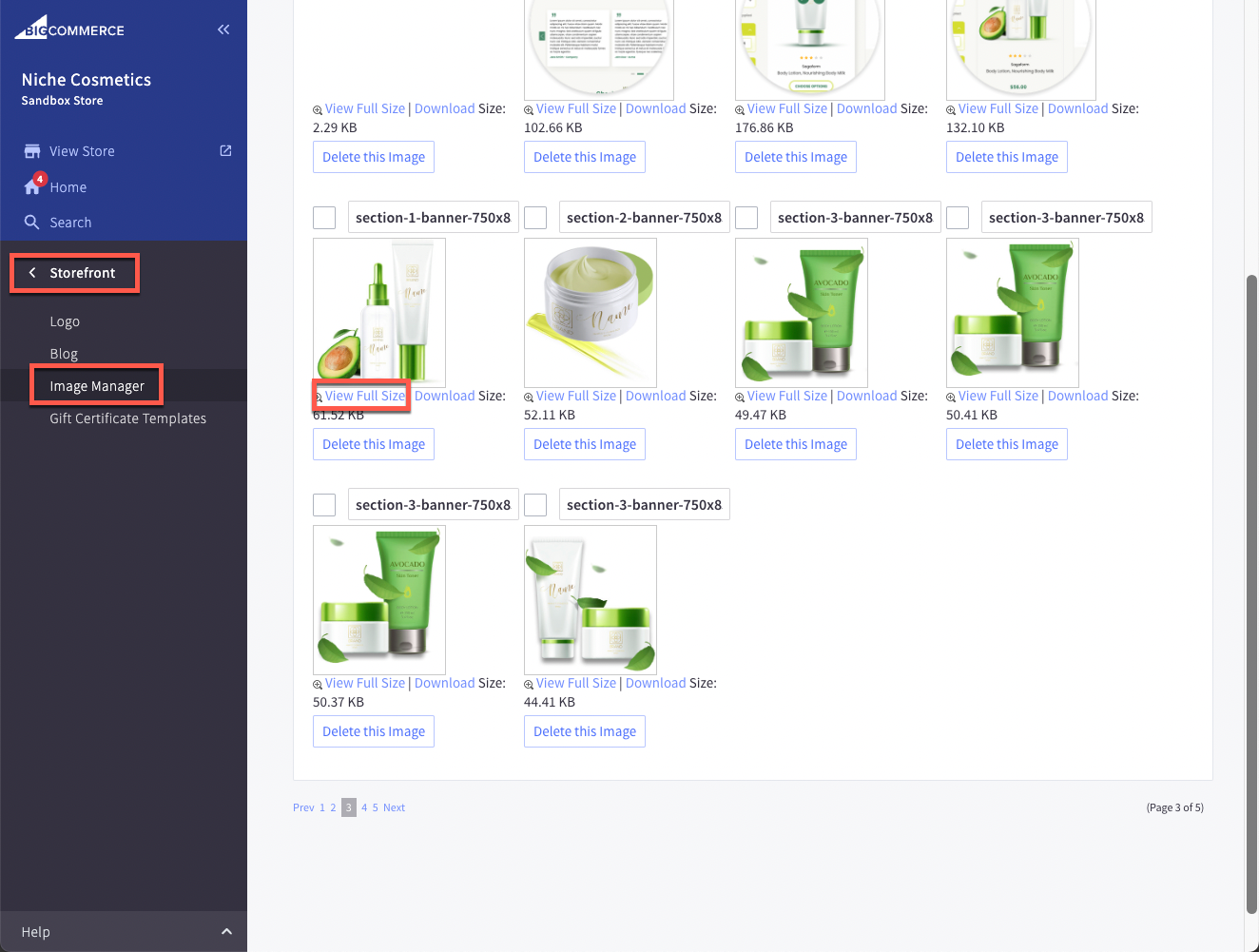
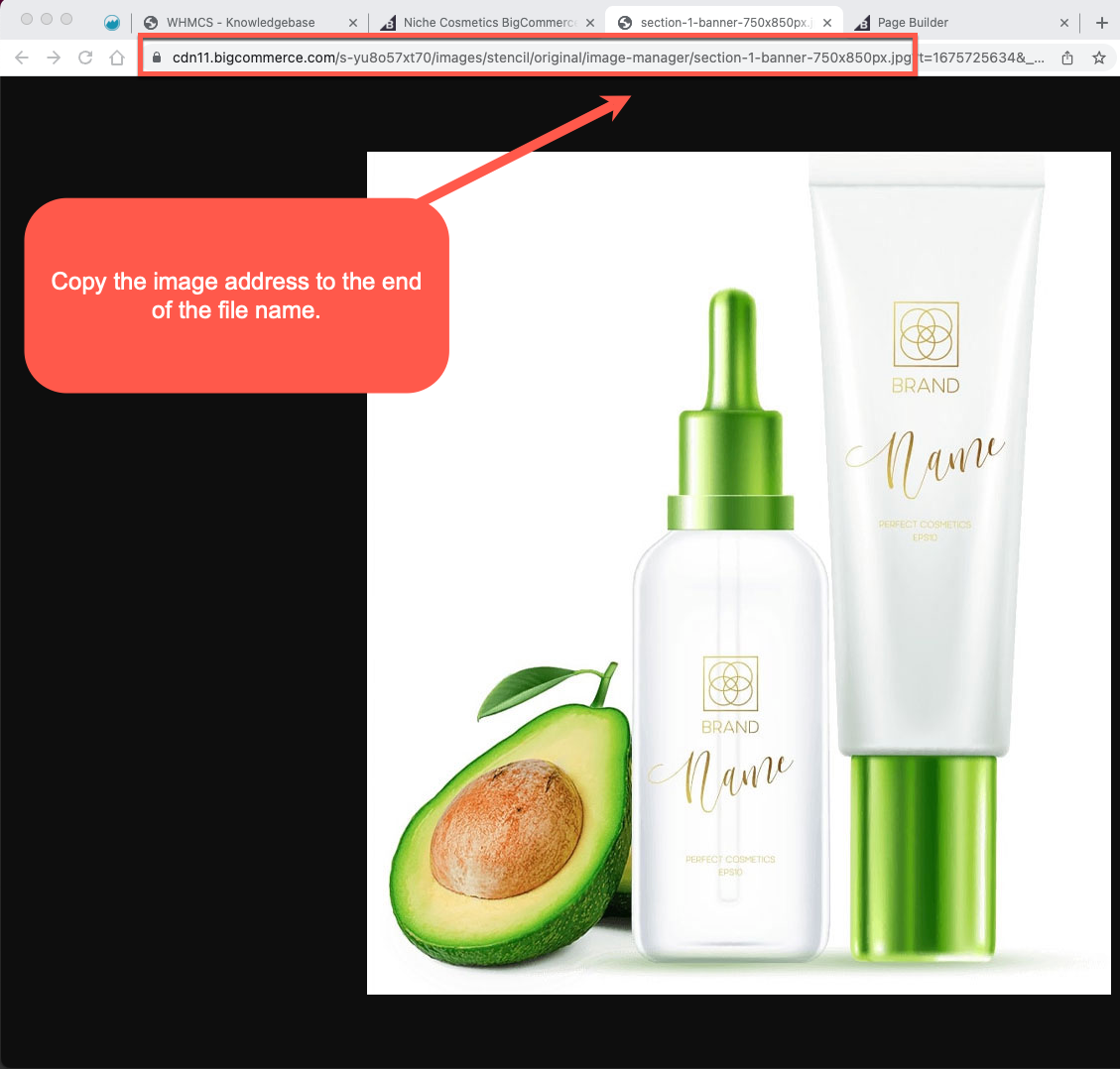
Then once uploaded, click "View Full Size" to open the image in a new tab and copy the path to that image url.
Then paste the image url into the theme image input box:
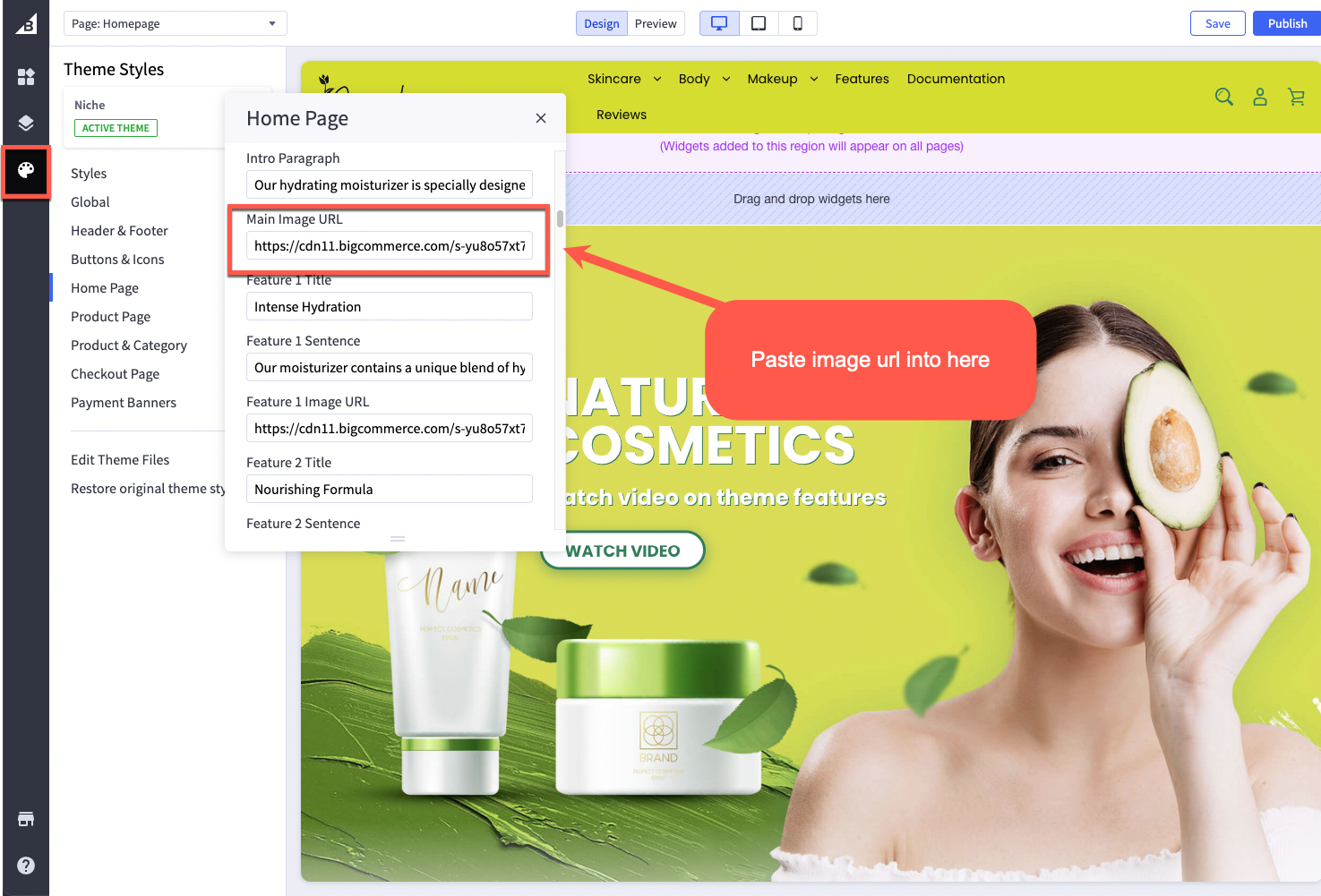
Repeat these steps for each image input box as required.